Zoho CRM Manage Customers & Increase Revenue

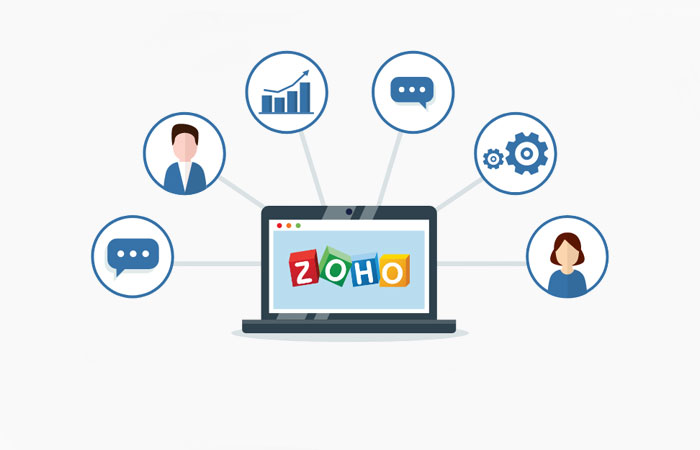
Zoho CRM is an online customer relationship management software for managing your sales, marketing, support in a single system.

Zoho CRM helps businesses of all sizes build excellent customer relationships, with features like an inbuilt AI sales assistant, sales pipeline management, marketing automation, analytics, and more.

Transform your business with Zoho CRM

Features to run your business flow

1

Track Sales Processes

If getting quality leads is one thing, tracking and managing them to deal closure is another. CRM offers you everything that you need to know about your leads to convert them into happy, paying customers. With lead scoring and automated lead assignment, you can assign leads based on a variety of parameters and know which leads have the highest chance of moving down the pipeline.
2

Create Custom Modules

There is never a one-size-fits-all approach when it comes to implementing a CRM for your business. If there is any business software solution on the market that can be truly customized to the way your business works, it has to be a CRM system. You can customize your CRM with custom functions, buttons, modules, fields, and layouts, or even build a CRM entirely from scratch.
3

Centralized Customer Info

Contact management features in CRM help you organize your business contacts in one place. Through centralized customer info cenYou'll know when and why you contacted a customer the last time, the best time to reach them, mentions from social media interactions, and analytics to reach customers through email and other forms of communication.
4

Web Forms

The best marketing campaigns produce quality leads for your sales team. From landing pages to contact forms, capture customer information in CRM with one step. Zoho CRM offers both customizable and pre-built web forms that turn your digital marketing campaigns into lead generation machines.
5

Workflow Automation

Working in sales and marketing, there's little margin for missed follow-ups. Zoho CRM's workflow automation makes your business hours more productive by finishing routine tasks for you. Workflow rules help you get that work out of the way by automatically triggering those actions when specified conditions are met.
6

Integration with Zoho Apps

Zoho CRM offers various Apps and Add-ons for Productivity and Collaboration that will improve your efficiency while working with sales leads, prospects and customers. There are a set of integrations for normal Google account users and also Google Apps users, some integrations with Zoho products such as the Zoho Mail, Zoho Campaigns, and Zoho Projects.

Why Choose a Google Workspace Premier Partner?

Over 1500 Cloud Customers

We empower over 1,500 businesses across the Middle East to work smarter. Our massive footprint proves our reliability in handling enterprise-level cloud infrastructure.

Direct Google Workspace Support

Skip the automated Google chatbots. Get direct, priority access to our certified support engineers based right here in the GCC for rapid issue resolution.

Trusted Experts Since 2007

Our deep knowledge is backed by nearly two decades of focused IT consulting. We hold the elite certifications required to solve the unique business challenges of the Middle East.

Zero-Downtime Migrations

Moving from legacy servers like Exchange or Zimbra? Our proven deployment strategy ensures a seamless, secure transition to Google Workspace with zero data loss or business interruption.

Local GCC Billing & Compliance

Simplify your accounting. We offer flexible payment plans, invoicing in your local currency, and ensure your cloud setup adheres strictly to regional data residency laws.

Enterprise AI Integration

We go beyond basic software licensing. We actively provide strategy & training to your administrators and staff on how to securely leverage Gemini AI to automate daily workflows and boost productivity.

Centralize your Business Processes with Zoho CRM

With Gulf Infotech’s CRM Specialization, you will be able to easily build excellent customer relationships. We are Trained & Certified Partners & Solutions Providers with Zoho for delivering their Services/Solutions using the Processes we have built over the last 10 years of Delivering Cloud Solutions to our Customers.

Our Implementation Strategy includes Training of the End Users on Zoho CRM along with the Admin Console Training for the Administrators of the Company so that Users can make full use of the Solution that they are going to use.

We have a Dedicated Support Team who provides After Sales Services like Support & Configuration Guidance on the Products/Services Subscribed by our Customers. All our Zoho CRM Consultants & Engineers are Trained by Zoho which gives us the edge in understanding Customer Requirements and aligning the Solution with the Business Needs.

Gulf Infotech believes in maintaining strong and long lasting relationships with its Customers and currently has over 500 Cloud Customers across UAE, Oman, Bahrain, Kuwait & Qatar.

Zoho CRM FAQ

What is the difference between Zoho CRM and Zoho CRM plus?

Zoho CRM is a stand alone product available in four different editions. Pricing for CRM varies based on the edition you choose. CRM Plus is a bundle of nine products that includes CRM, Desk, Projects, Sales IQ, Campaigns, Analytics, SalesInbox, Social, and Survey each available as their enterprise or highest edition.

Who are confirmed users in Zoho CRM?

New users who sign up for Zoho CRM receive an email to confirm their registration. Once they have clicked the link to confirm their accounts, they are referred to as Confirmed Users. Users have 30 days to confirm their account from the date of registration. Only a confirmed user can access the Zoho CRM account.

Can I track the sales executive's location in the CRM mobile app?

Yes, Zoho CRM app for Android comes with a check-in feature which lets sales reps check in to the location when they meet with a client. Sales managers will be notified of the check-in right away and can keep track of their sales executives’ client appointments. You can only create check-ins for the Leads, Contacts, and Accounts modules. You cannot create a check-in without it being associated with an event.

What are the languages supported in Zoho CRM?

Zoho CRM is available in 28 languages including English & Arabic.

Contact us and get a Free Demo & see how Zoho CRM can increase your business productivity.